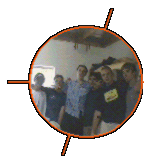
Where is Koffiefontein?
It is situated in the Southern Freestate (a province in South Africa), about 130 km Southwest of Bloemfontein and 100 km Southeast of Kimberley.
Where does the word LantaGON come from, and what does it mean?
ACiD thought up the name AntaGON (the capital letters in it have absolutely no meaning), and we all (the original 5 members) thought it sounded really cool. It was actually the first name we all agreed upon, after searching for one for months. In the end we ditched it after finding out some or other pregnancy medicine had the same name, which was quite sad since we had already designed logos, etc. After that, OrkHiSt and Waste decided on MyGRaiN after seeing an ad for headache pills on DAP (medicine again, lol). We made an entire website, logos, etc., until we found out some band had already taken that name. It was back to the drawing board then. We decided that since the first name was the only one everyone liked we would just change it slightly. We added an 'L' so it could at least have a meaning (our Internet connection isn't very speedy, so we play mainly on LANs) and immediately checked if someone else hadn't already used it before making any big moves. Luckily there was only one place, a town in Benin, and since we didn't think it would be copyright infringement to use a town's name we used it. ACiD and ArcAne didn't like it though, so they left (until recently...) and Maxium wasn't in the mood for another clan, but Waste and OrkHiSt continued with the clan. (After all we had everything to do so...)
What's that picture in the back? I can't make it out.
Since we didn't want to make the site unreadable we made that picture very dark, in fact, if your screen's brightness isn't all the way up, you might not even see it. Well, the significance of that picture is quite big. Here's a smaller, more seeable version:

This pic is in fact the clan tag ([LAGN]). Now here's something very cool, turn it 180 degrees using a graphics programme or your imagination and -voila!- it looks the same. Cool, hey?
What programs did you use to create this website?
For the graphics OrkHiSt uses Ulead Image Editor v. 2.0, Microsoft Paint for Windows 98 and Microsoft Photo Editor v. 3.0. For the design of the website Waste uses 1st Page 2000 v. 2.00 Free by EvrSoft. For the upkeep of our server we use SmartFTP v.1.0.978, which is free if you use it for non-commercial use (we don't make ANY money off this site, so I don't think this qualifies as commercial use).
How do you take the pictures at your LANs?
We connect a video camera to OrkHiSt's video capture card (miroVIDEO Studio DC10plus v. 1.04.5 by Pinnacle Systems) and then either capture single frames directly to the PC, or we record some video and then later single out a few frames for use on this webpage.
How do I play Half-Life : Counter-Strike online?
In order to play online you must have the newest version of the game (Counter-Strike Retail or Half-life and the CS Mod). The best way to find the patches is to use a search engine (like Google) to search for it. Hopefully the results will contain upgrades or full installations to the newest version. Remember to check that it is for the correct version, retail version patches won't work for the mod and vice versa. We would also recommend you download GameSpy 3D, it monitors the servers displaying detailed info about them and then connects to them hassle-free. It also search for available servers on the gamespy network, but since they are all overseas it doesn't help much. To configure GameSpy 3D do the following: Run GameSpy. If it is the first time you run it, it will display a window telling you it is searching your computer for installed games. If GameSpy 3D has been used before go to "GameSpy -> Games and Filters…". You will probably find (if you have the mod) that it didn’t find Counter-Strike, but don't worry, that's because it only searches for the retail version's details. To fix this, scroll down to "Half-Life Counter Strike" and then check the box to the left. It will then display a window. Browse to the Half-Life folder and click OK (not the cstrike folder!). Next you must change the command line (a list of new settings will have appeared under the game's name) to "HL.exe –console –game cstrike –dev". Now change your player name (it will be set to this when the game loads, nice hey!). Click on "Half-Life Filter settings… -> filter wizard -> refreshed in less than" and change this to 500 (games that take longer than that are virtually unplayable, even if they respond in 200 milliseconds they are VERY S-L-O-W). Now click OK and then again OK and then again OK. Go to "GameSpy -> Updates -> Update master server list…". Now the newest server list will be downloaded, but because it is VERY long it will take between 15-60 minutes to complete (depending on your connection speed of course). To add a server manually select "Server -> Add…", then type in the server's details and click OK. Now select the servers you'd like to refresh and click on "Tools -> Update selected sources" (or press Ctrl + R) to refresh these servers' details. When you have found a suitable server, right click on its name and select "Launch Game". The game will start automatically and connect to the server. In the future you only have to repeat the last two steps in order to play.
If you have any more questions that aren't in this FAQ, please feel free to e-mail Waste or OrkHiSt! We might just add your question to this page.
|